NoxDragon
AcademicAcademicAgoraRanverkDocsNewsAboutContact
esenpt

Noxdragon Academic

What is Noxdragon Academic

EON

Getting started with EONDecks and Deck PacksImporting decks (.eon)Review sessions and spaced repetitionCalendar and planningDeck MarketplaceTrash and recoveryGenerating flashcards with AI

Theca

Getting started with ThecaYour libraryReading in ThecaCited searchSourced summaries

Imagine

Getting started with ImagineTelling ideas step by stepDiagrams and AI helpSharing presentationsExporting your work

SimuLabComing soon

SimuLab: what's coming
← Documentation

Reading in Theca

Updated on July 17, 2026
Reading in Theca

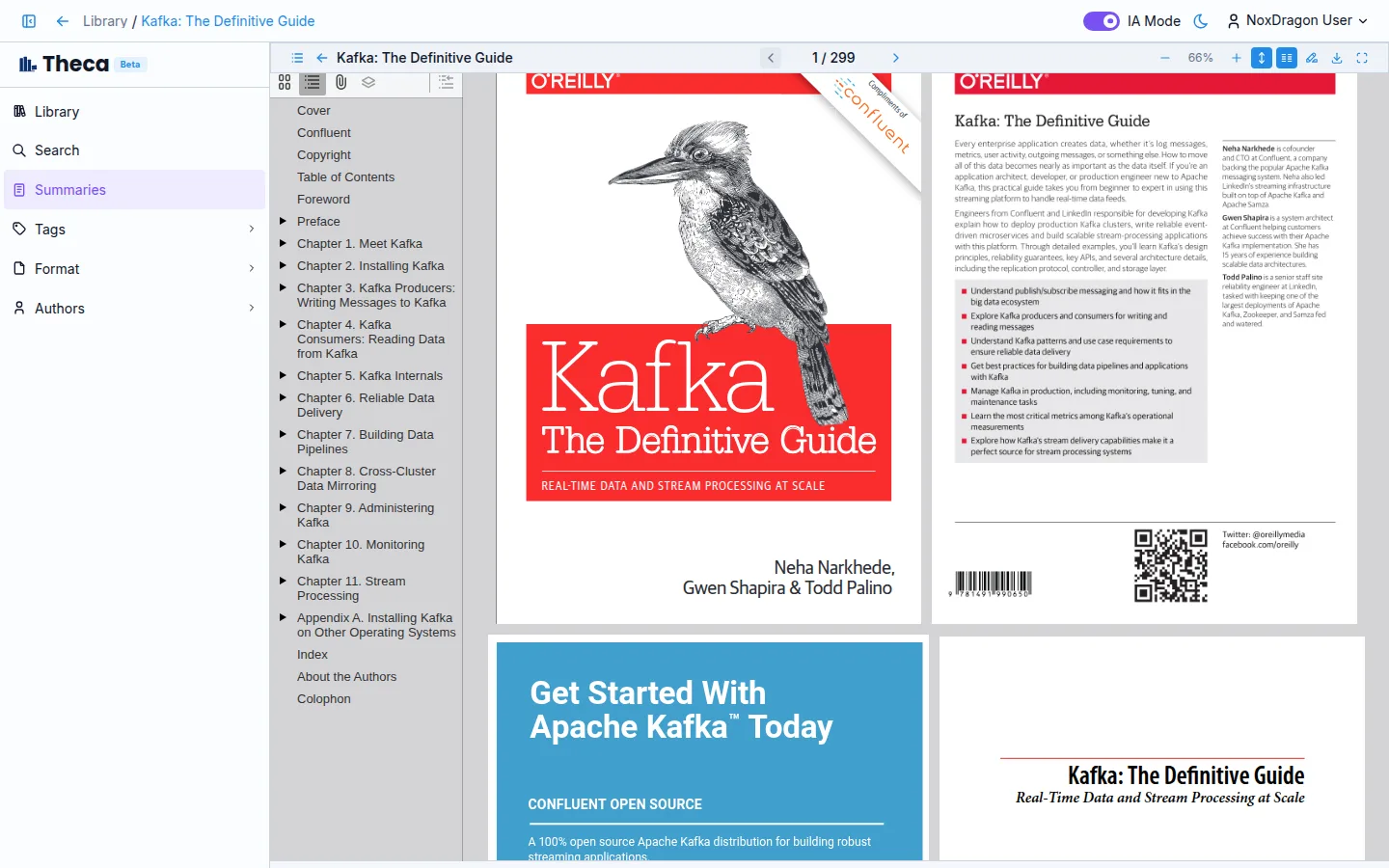
No need to leave the app to read: hit Read on any book and the built-in reader opens.

The reader

  • Navigate with the table of contents in the left panel.
  • Jump to any page from the top bar.
  • Two-page mode makes the most of wide screens.

From search

When a search answer cites a page, its link takes you straight to that point in the reader, paragraph highlighted.

Pick up where you left off

Theca remembers your last page in every book, on any device.

NoxDragon

Technology in service of efficiency.

Try EON ↗Try Theca ↗Try Imagine ↗

Products

EONThecaImagineSimuLabAgoraRanverk

Company

AboutNewsDocsContact

Legal

TermsPrivacyAcademic termsAgora terms

Community

ForumsLinkedIn
© 2026 NoxDragon. All rights reserved.
Built onGoogle CloudAlibaba CloudMistral AI
Built by students. Powered by curiosity.